

Affiliate Disclosure
This article may contain affiliate links. If you purchase through these links, we may earn a small commission at no additional cost to you. As an Amazon Associate, we earn from qualifying purchases.
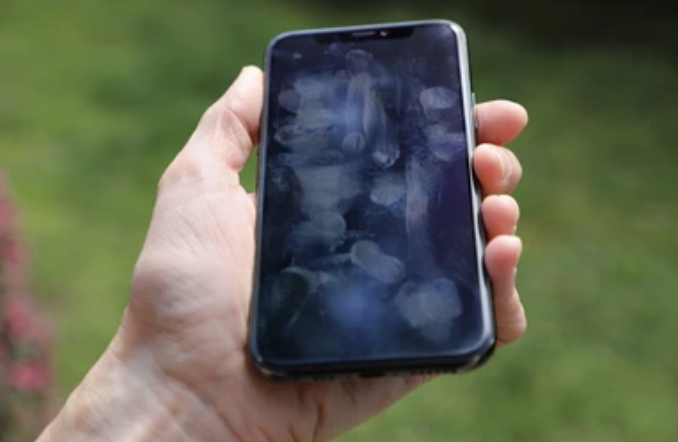
Keeping your mobile phone clean is highly important for its performance and hygiene. Dirt, dust, and grime collect on various parts of your device, such as the screen, charging port, and speakers, and can cause serious issues, such as poor sound quality or charging problems. In extreme cases, it can even lead to problems with your display.
In this blog post, I am going to show you how to clean a phone and all of its important parts, including the charging port, speakers, screen, camera lens, touch screen, and screen protector, and how to clean your phone safely.
These tips will keep your phone looking as fresh as new and functioning at its best.
How to Clean Your Phone?
A clean mobile phone is important, as it makes it look new while functioning properly. Charging ports and screens are places where dirt and dust accumulate, eventually affecting performance and cleanliness.
Cleaning your gadget not only helps it look good but also lowers the risk of germs. If you are looking for general deep cleaning tips for your personal items, starting with the devices you touch the most throughout the day is always an excellent strategy. Below, I have listed the best steps to clean your mobile phone.
Tools Needed:
- Soft, dry microfiber cloth
- Distilled water (optional) & mild soap
- Screen cleaning solution made for touch screens
- Compressed air can or a bulb syringe
- Wooden toothpick or plastic SIM card ejector tool
- Soft-bristle brush (optional)
- Bright light source
First, turn off the device completely to avoid electrical damage.
If you want a quick, streak-free clean, the Mini Tech Screen Cleaner Mist with Microfiber Cover is a convenient way to remove fingerprints and smudges from your phone’s screen.
Recommended
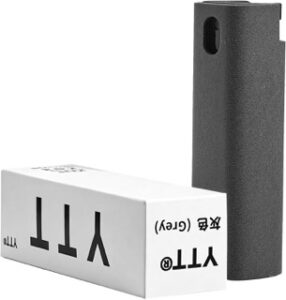
Mini Tech Screen Cleaner Mist with Microfiber Cover
Best For:
Cleaning phone screens, tablets, laptops, and other touchscreen devices.
Why We Recommend It:
This compact screen cleaner combines a cleaning spray and microfiber cloth in one, making it easy to remove fingerprints, smudges, and dust without scratching your phone's display.
Pros
✔ 2-in-1 spray and microfiber cleaner
✔ Safe for phones, tablets, and laptops
✔ Pocket-sized for cleaning on the go
Cons
✘ Small capacity requires refilling
✘ Designed for screens only
Phone Case
- Remove the case and clean it with water and mild soap.
- Let it air-dry completely.
How to Clean Your Phone Charging Port?
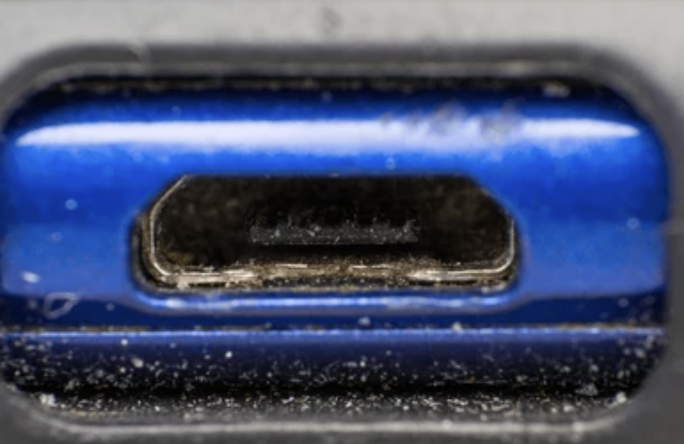
The charging port of your phone can easily collect dust, lint, and debris, which can affect charging speed and connection stability. If you’re wondering how to clean a phone charging port safely, it’s important to proceed with caution to avoid internal damage. A blocked or dirty port is often the reason your device won’t charge properly. Knowing the right way to clean a phone charging port can restore functionality and extend your phone’s lifespan.
Instructions:
- Inspect the port using a bright light to check for dirt or debris.
- Use compressed air: Shake the can well, hold it upright, and give a few short blasts into the port to dislodge loose particles. Do not tilt the can, as moisture may enter.
- Use a toothpick: Gentle use of a wooden toothpick or a plastic toothpick to scrape the dirt inside the port works best. Tilt it gently side-to-side to loosen debris. Avoid using metal tools, as these can damage sensitive pins inside the port.
- Brush out the debris: Use a soft-bristle brush to clean out remaining particles without applying too much pressure.
- Test the connection: Plug in your charger to see if the phone charges properly. If the problem persists, repeat the steps or seek professional help.
Clean Phone Speaker
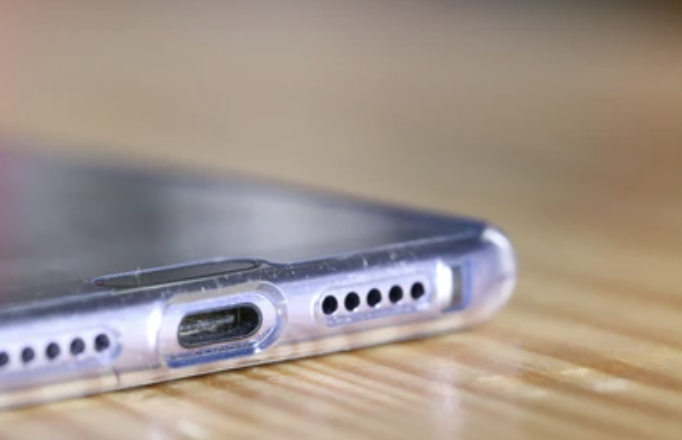
Over time, dust, lint, and dirt may accumulate on phone speakers, making the sound unclear or distorted.
- Use a soft-bristle brush or clean toothbrush to gently brush the speaker area in a circular motion to remove surface dirt. This eliminates dust without pushing it further inside.
- Use compressed air by holding the can vertically and giving short bursts of air to blow out deeper particles.
- For tougher dirt, press down gently with a small piece of sticky tack or putty against the speaker. This can lift out fine dust and debris without causing moisture damage.
- Avoid using liquid cleaners, as moisture can seep into the phone and cause internal damage.
- Clean frequently to ensure a clear sound and proper functionality.
How to Clean a Phone Camera Lens
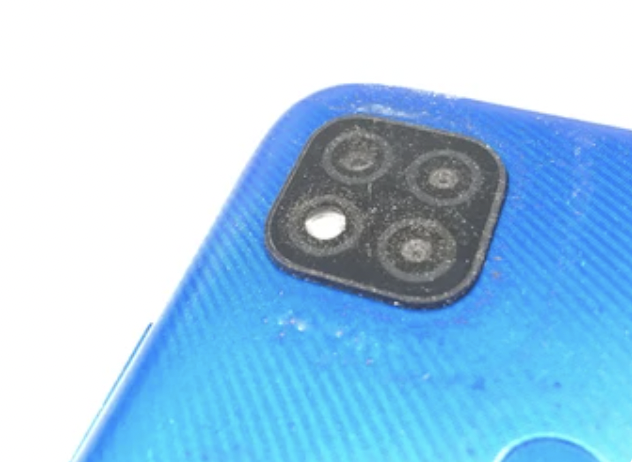
- Use a soft microfiber cloth to gently clean the lens in a circular motion. This removes fingerprints and dust without damaging the finish.
- For heavier smudges, add a drop of lens cleaner to the cloth (never directly to the lens).
- Wipe the lens again to prevent streaking. If dirt is stuck around the edges, remove it with a small air blower or soft brush without applying too much pressure.
- Avoid using tissues, paper towels, or your shirt, as these can scratch the lens or leave lint.
Regularly cleaning your phone’s camera lens will maintain image clarity and ensure your photos are clear and vibrant.
Mobile Touch Screen
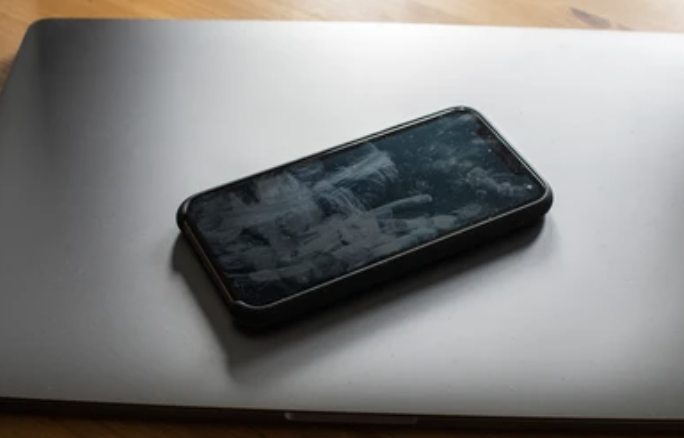
Use a soft microfiber cloth to carefully remove fingerprints, smudges, and dust. For tougher spots, slightly dampen a corner of the cloth with water or a screen-safe cleaner, but avoid using too much liquid. Gently wipe the screen again and finish with a dry part of the cloth to remove any moisture.
Regular cleaning keeps it smooth and enjoyable to use while being free of bacteria and debris. Here is an easy guide on how to clean a phone screen safely and effectively.
If you want a quick, mess-free clean, ARCHXX Electronics Cleaning Wipes remove fingerprints and smudges in seconds.
Recommended
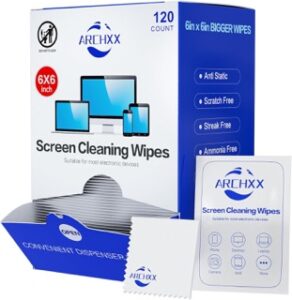
ARCHXX Electronics Cleaning Wipes (120-240 Pack)
Best For:
Cleaning phone screens, cases, keyboards, and other electronic devices.
Why We Recommend It:
These pre-moistened wipes quickly remove fingerprints, smudges, and everyday grime from your phone without leaving streaks. Individually wrapped wipes are perfect for home, work, or travel.
Pros
✔ Pre-moistened for quick, mess-free cleaning
✔ Safe for phones, tablets, and other electronics
✔ Individually wrapped for convenience
Cons
✘ Single-use wipes create more waste
✘ Not designed for cleaning charging ports
Step-by-Step Instructions:
Method-1: Dry Cleaning
- Use a soft, dry microfiber cloth and gently wipe the screen in a circular motion.
- Remove any visible dust or debris.
Method-2: Damp Cleaning
- Dampen a microfiber cloth with distilled water.
- Wipe the screen gently in circular motions.
- Use a dry microfiber cloth to remove excess moisture.
Method-3: Using Screen Cleaning Solution
- Apply a few drops of screen cleaning solution to a microfiber cloth.
- Wipe the screen gently in circular motions.
- Finally, a dry microfiber cloth can help to remove the extra moisture.
Keep in Mind:
- Do not use chemicals such as alcohol or bleach, as they may damage the protective coating on the screen.
- Always use soft cloths to prevent scratching the screen.
- Avoid harsh chemicals, abrasive cleaners, and paper towels.
- Regularly clean your screen to maintain its optimal appearance.
Dear readers, cleaning your mobile phone is one of the easiest ways to keep it running well and looking nice. Regular cleaning of parts like the screen, camera lens, charging port, and speakers prevents widespread problems like blurry pictures, distorted sound, and charging issues.
Using microfiber cloths, compressed air, and soft brushes is a simple tool that won’t scratch or damage your phone. Remember, don’t use harsh chemicals or excessive amounts of liquid, as they may harm your phone’s sensitive parts or screen coating.
Related Read: If you’re also looking to clean a laptop screen, check out our guide on how to clean a laptop screen for safe and effective methods.












Roborock Saros 20 Robot Vacuum Review: Is It Worth Buying?
Still rescuing your robot from thresholds and tangled hair? This Robor…
O-Cedar EasyWring RinseClean Spin Mop System Review: Worth Buying?
Does separate clean water make mopping easier? Explore the O-Cedar Eas…
O-Cedar EasyWring Spin Mop Review: Is It Worth Buying?
Does easier wringing make the O-Cedar EasyWring spin mop worth buying?…
Roborock Saros 10R Robot Vacuum Review: Is It Worth the Premium Price?
Is the Roborock Saros 10R worth its premium price? This in-depth revie…

Roborock Qrevo S Pro Robot Vacuum Review: Is It Worth Buying?
The Roborock Qrevo S Pro promises less daily vacuuming and mop care. T…

10 Best Roborock Robot Vacuum Models: Which Fits Your Home?
Which Roborock robot vacuum fits your home? Compare 10 models across t…
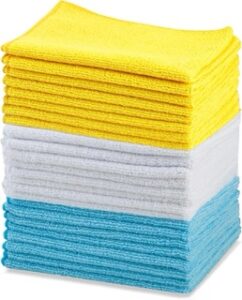
5 Best Microfiber Cleaning Cloths: Which Should You Buy?
Find the best microfiber cleaning cloth for your home. Compare five pi…
USANOOKS Microfiber Cleaning Cloth Review: Is the Grey 12 Pack Worth It?
Considering the USANOOKS grey 12 pack? Explore its size, color choices…

MR.SIGA Microfiber Cleaning Cloth Review: Is the 12 Pack Worth It?
Are MR.SIGA microfiber cleaning cloths worth a spot in your kitchen? T…
Amazon Basics Microfiber Cleaning Cloths Review: Are They Worth Buying?
Amazon Basics Microfiber Cleaning Cloths provide an affordable 24 pack…
Roborock Q7 M5+ Robot Vacuum Review: Is This Budget Vacuum and Mop Worth It?
Can an affordable robot really vacuum, mop and empty itself effectivel…
Eufy E25 Robot Vacuum and Mop Review: Is It Worth Buying?
Can the Eufy E25 Robot Vacuum replace both your vacuum and mop? This i…